Xero Approval Workflow for Journal Entries
ApprovalPro.ai
- One minute read - 158 wordsManual journals like payroll, accruals, and reclassifications can move big numbers in your books. In Xero, anyone with access can post one without a second pair of eyes. ApprovalPro.ai adds that review step.
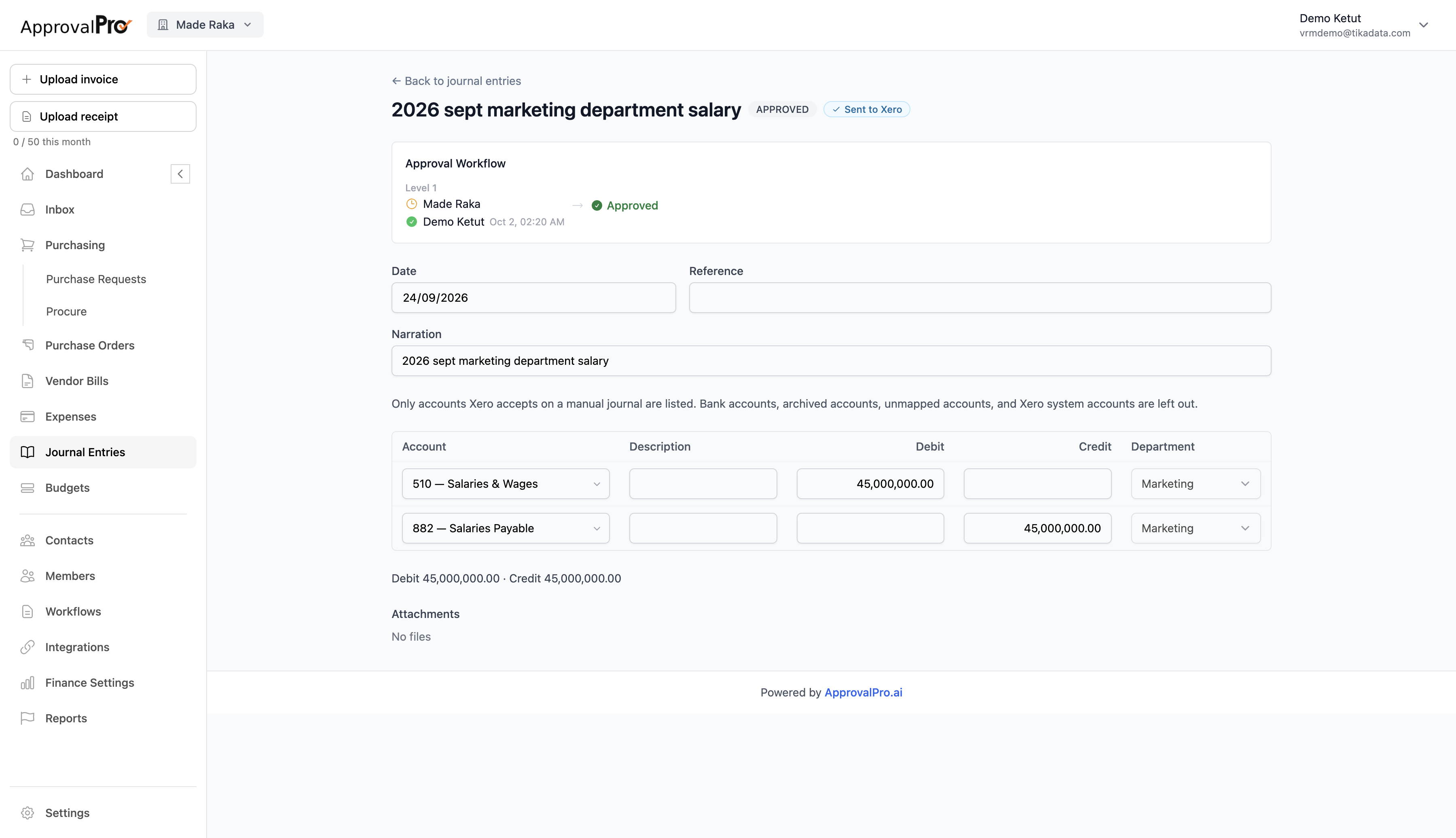
Draft it the way Xero expects
Enter the date, narration, and journal lines with accounts, debits, credits, and tracking categories like department. Only accounts Xero accepts on a manual journal are listed, so bank, archived, and system accounts can’t slip in. Debit and credit totals are shown as you go, so you can see the journal balances before you submit.
Route it for approval
Each journal follows your approval workflow, with one or more levels of approvers. Everyone can see who has approved and when, and you can attach supporting files like payroll reports.
Then it’s sent to Xero
Once approved, the journal is sent to Xero automatically. No re-keying, and every posted journal has a clear approval trail behind it.